Click on images to see them in full screen
Comms Lines - MMS
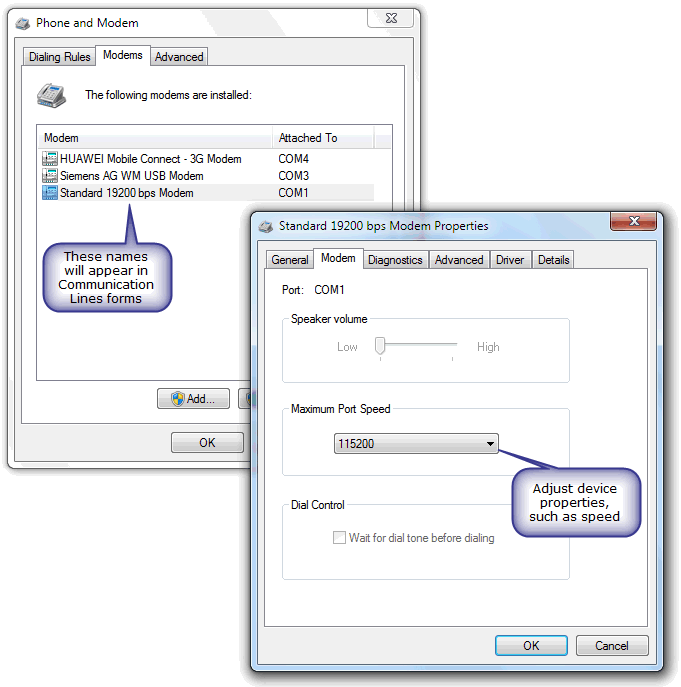
You must first define a Windows TAPI modem even if your device is connected to a serial port. This is a requirement for MM1, but not for standard GSM line.
If you are setting a line using an APN which does not require a proxy, you will need to set the DNS server field, too. See here 
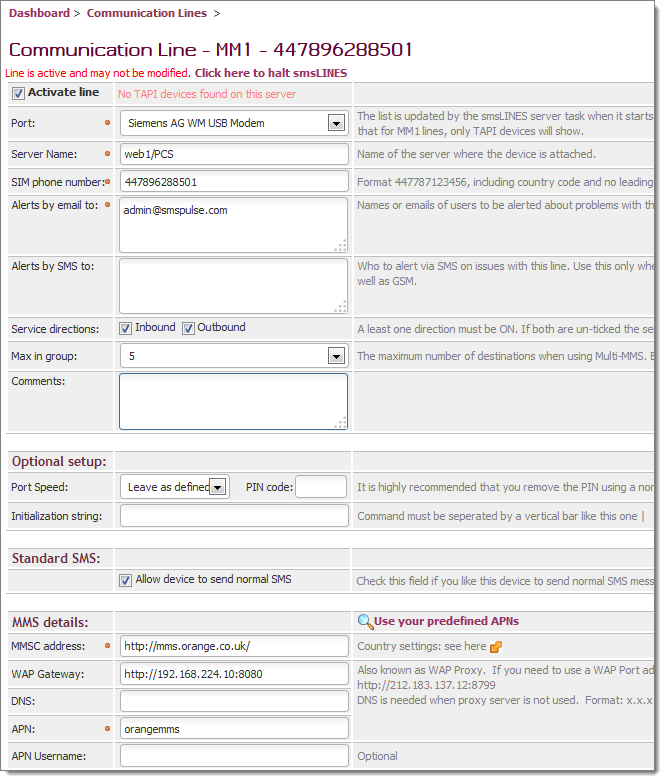
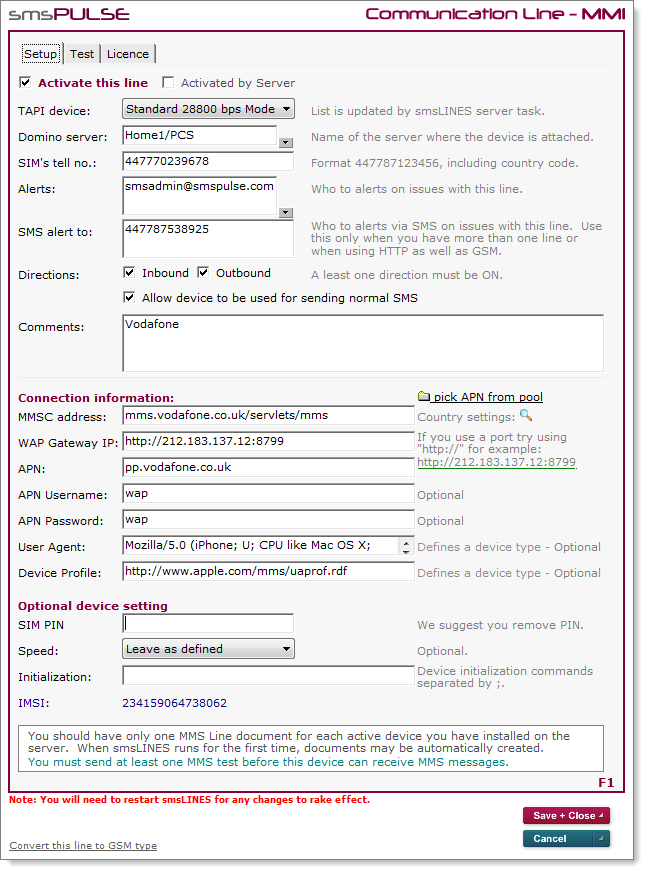
A sample Communication Line document:
Web UI:
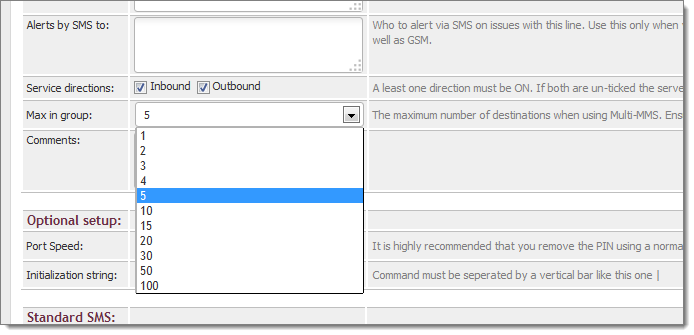
Please note that from smsPULSE V8, MMS messages which were sent as a batch are no longer split into individual messages but are grouped together, depending on the maximum size supported by the specific network. Therefore, you need to find what is the maximum allowed for your specific network, and set it as shown below. The default is five but some networks allow for more and it's really worth taking advantage of this.
Note: You can take advantage of the APN pool to speed up APN settings on MMS lines. See here .
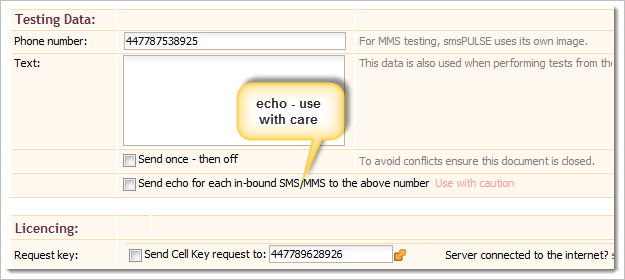
Echo
From version 7.6.2 you can ask smsPULSE to send you a text message for every text message that comes in. This is useful during test or pilot times and we recommend that you turn these features off once you are in production mode.
Notes UI:
Note: we publish settings for hundreds of networks, click here.
Testing a line
Once the server is connected to a line, you may test it. To do so click on the Test tab and fill in the details, not forgetting to tick the "Send once..." checkbox.
When sending a test using the MM1 line, smsLINES will send a sample image with the test.
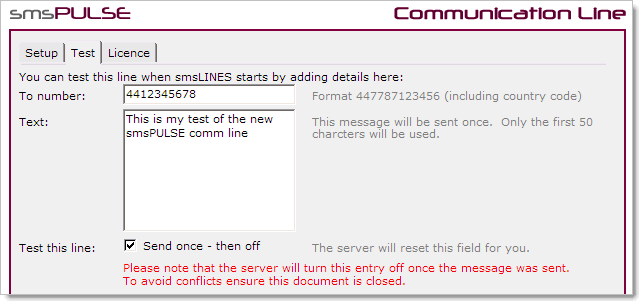
You may also test a line after the above form is filled by typing the following command on the Domino console:
"tell smslines test n" (where n is the line number).
Please note that if you added the number after smsLINES has loaded you will need to restart smsLINES for the number to be read. To restart smsLINES just type:
"tell smslines restart"
Licensing a line
If you bought a smsPULSE MM license you will need to license each line you have purchased. For instructions please click here .
Inbound SMS/MMS not receiving
If your device fails to accept incoming SMS, please perform the following steps:
- Exit the smsPULSE GSM Setup application
- Connect to your GSM device using a program like HyperTerminal (for Windows Vista you will have to find a download)
- Ensure the speed of the device is set to 115200 for Siemens TC65, or similar
- Once you connect to the device, send the following commands:
To see what you type, issue the following AT command:
ATE1
Then:
AT+CPMS="SM","SM","SM"
After the response, type this command:
AT+CPMS="MT","MT","MT"
The above commands should not be required if you are using the smsPULSE V8 smsLINES Service.
Adding TAPI modems
You can define TAPI modems by using the "Phone and Modem" options in Windows Control Panel.
For example: